
Whether you want to take on an interior project, or just want to bring your rooms back to life by changing their colours, a colour wheel is your best friend. It's an easy, simple, and helpful tool to use. A colour wheel helps you decide what colours to use and which ones could potentially work best for your little project. You can find this product in any art supply shop.
So what is a colour wheel?
It is a flat circle with different colours packed together in different sections, meant to show the relationships between the colours.
First things first, let's see what colours we can work with and what can we do with this tool.


Using Primary Colours
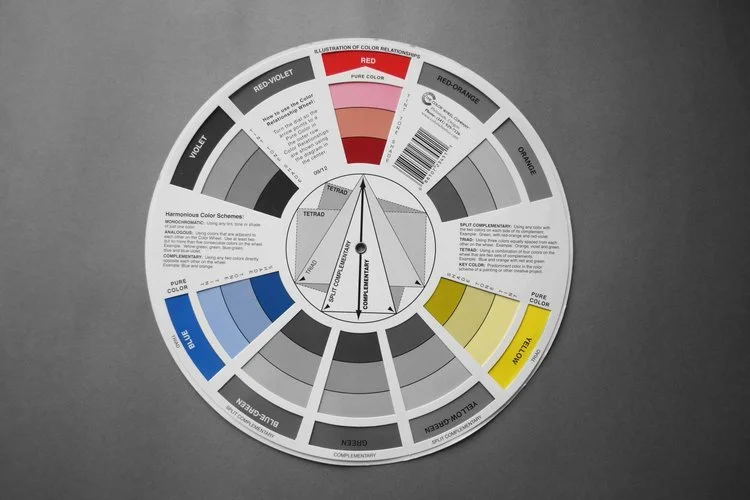
Primary colours are those colours from which any other colour comes from. The primary colours are RED, YELLOW and BLUE. You cannot mix any two colours and get a primary colour, but you can mix any two primary colours to create other colours.
The mix can be done by combining the colours between them, or with black or white (which are also known as NON-COLOURS). For example: if you mix red with yellow you obtain orange. If you mix yellow and blue you get green. And if you mix blue and red, you get a lovely violet colour.
Using Complementary Colours
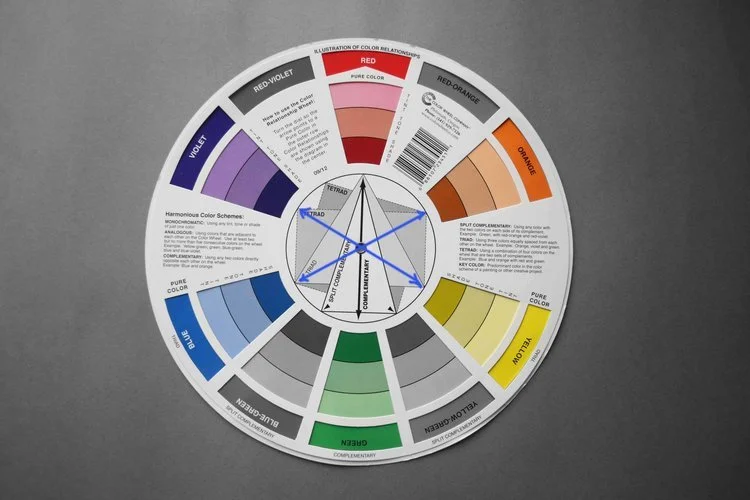
Complementary colours are two colours that are directly opposite to each other on the colour wheel. For example, Blue and Orange; Yellow and Violet, and Red and Green.
I like to take examples from nature so that it's easier for me to remember the pairs when I don't have the colour wheel in front of me. You can pick whatever is easiest for you, like the sky at sunrise: you know it's blue with bits of orange in it. For red and green, think of an apple tree, and for yellow and purple you can think of any flowers that have this colour combination or anything else that is easier for you to remember.
If at any moment (when using the colour wheel), you don't know which colours are complementary, follow the black arrow in the middle of the wheel. Notice that it has the word complementary beneath it. The wheel is packed with info and instructions as well, so you can't miss anything.
You can do this to any colour in between. You can pick Red-Orange and see that its complementary colour is Blue-Green and so on.
Join the Thoughtful Edit Newsletter
The “Thoughtful Edit” interior newsletter. A newsletter unlike any other where the content is shaped by the community for the community, to serve the community.

Using Tint, Tone and Shade
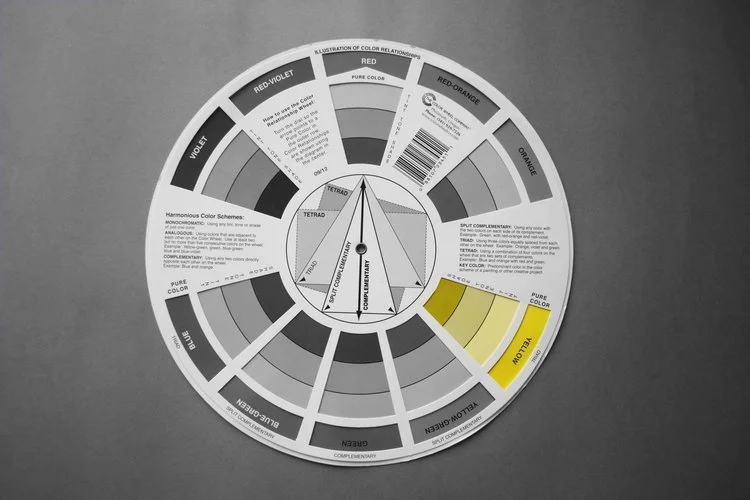
Another great thing that this tool has is that (at any time), you can see the tint, tone and shade of a colour (and all at the same time). What do these terms even mean? Well, to put it bluntly:
TINT is a colour plus white;
TONE is a colour plus grey;
SHADE is a colour plus black.
Let's take the image below as an example. The Colour Yellow is the Pure colour (meaning the colour is without any additions to it). Right beneath it is the Tint (yellow + white), followed by the Tone (yellow + grey) and Shade (yellow + black) which is towards the centre. This means that whichever way you turn the wheel, it will always show you how each colour looks like if you add white, grey or black to it. Pretty neat right?

Using Split Complementary
Split complementary gives you 2 options besides the direct complement colour. This means that you can use any colour with two colours on each side of its complement in your colour scheme, and it would work wonderfully.
For example, if you want to use Red in your colour scheme, but find its complement green rather harsh, you can opt to use any tint, tone or shade (even the pure colour) of either Yellow - Green or Blue - Green. You can even choose to only use the split complementary colours and the complement in the middle. Or to put it in other words: you can choose to only use the blue-green-yellow range, without adding the red.`
Basically, you can do whatever you want, but this option shows you which colours will go nicely together.
Using Cold and Warm Colours
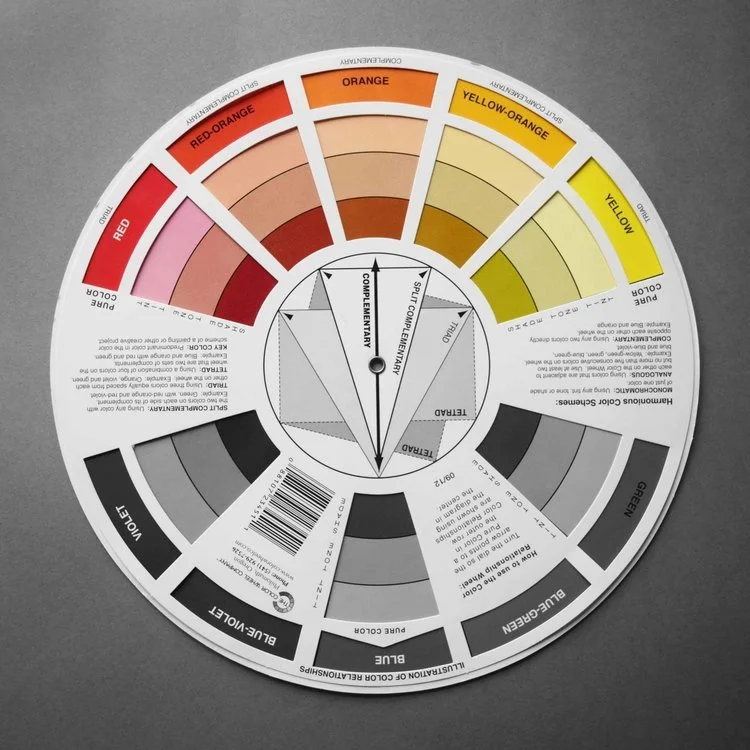
The colour wheel is so well organized that you don't have to search for anything, you just need to look. The only thing that you have to do is turn the wheel and your information is at hand. For example, it shows you which colours are considered cold and which ones are warm. They are always next to each other, so it's easy to remember.

Cold Colours
Warm Colours
Using Primary Colours to discover new combinations
On the other side of the wheel (where there is additional info), you can use the primary colours + black and white on any colour to combine and discover new combinations. What I find extremely useful, is that on this side of the wheel, there are a number of tints, tones and shades of grey, named the "grey scale".
If you are planning on using grey as a base colour or as an accent in your project, you can rotate the wheel to your heart’s desire and see which colour works with grey. Or even the other way around.
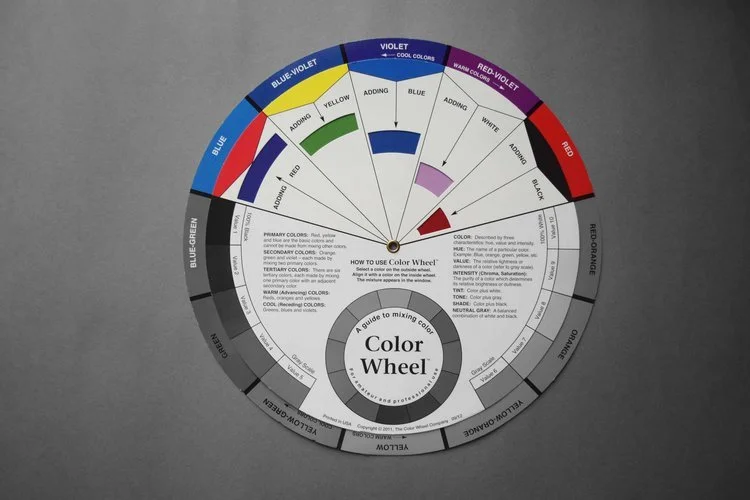

So there you have it detail lovers, how to use a colour wheel. It's super easy, lots of fun and you always discover new things. It's the perfect tool to have at hand when you need to make colour decisions for your project (and you are not working with an interior designer).
Are you planning on getting a colour wheel or have you already used one before? If so, what was your experience like? Did you find it easy to use or not so much? Let me know below, I’d love to know your thoughts.
Until next time,
Raluca x
Join Our Thoughtful Edit
The “Thoughtful Edit” interior newsletter. A newsletter unlike any other where the content is shaped by the community for the community, to serve the community.

All images that are credited as '©Detail Movement', are done by Raluca Vaduva for Detail Movement. All rights reserved. All pictures that are not my own, I credit them to the best of my knowledge & research, to their offline/online sources. I do not claim ownership over them in any way. If you see your picture on this site and do not wish for it to be displayed, please get in touch and I will remove it or add additional notes at your request.